
Roger Dodger Aviation DIY Flight Sims Keyboard Modifications DIY Keyboard Modification: General Aviation

Item #K172, $XX US dollars
This item was discontinued on JULY 8, 2017
Read more: Why was this product discontinued?
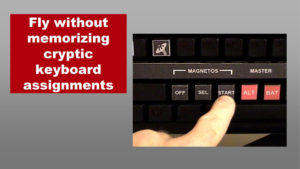
The DIY General Aviation Flight Sim Keyboard Modification is great for flight simulator pilots that like to fly GA planes like Pipers or Beechcrafts, but especially the default Cessna 172 in FSX, FSX Steam, and Prepar3d. The DIY Flight Sims video and manual shows you how to modify a regular USB keyboard to simulate a Cessna 172 much like one you might find for rent at your home town airport.
DROP YOUR MOUSE
The button layout and the keyboard event assignments make it possible to do several important functions without using the mouse:
- Engine Start
- Engine Shutdown
- Tune Frequencies in Com 1
- Tune a VOR in Nav 1 and dial in the OBS

This highly affordable project has a lot going for it:
- Easy to make and it looks great
- Build with inexpensive materials and get impressive results
- You can still use a regular keyboard in addition to this modification
Combine the flight simulator keyboard mod with your computer and flight simulator controls and take off on a VFR cross-country!
Happy Landings!
*** Here's what you get ****
DIY KEYBOARD MODIFICATION DIGITAL VIDEO - 12 minutes of construction footage and instructional narration (wmv format)
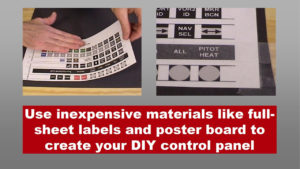
- General Aviation Button printing and cutting
- Attaching buttons to keyboard
- General Aviation Button event assignments
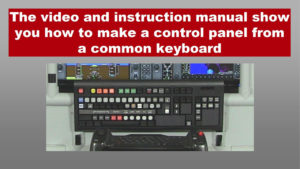
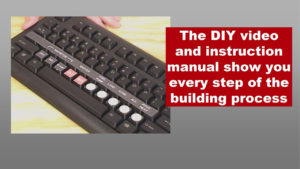
DIY KEYBOARD MODIFICATION INSTRUCTION MANUAL - Full-color, illustrated, 20 pages (Adobe pdf format)
- Safety
- Materials
- Tools Required
- Printing and preparing buttons
- Cutting buttons
- Keyboard Map
- FSX Event assignments
- Examples: Engine Start/Shutdown, Tuning Com Radio and Nav Radio
GENERAL AVIATION KEYBOARD BUTTON SHEETS
Print these pages onto full sheet labels
Bonus: Extra buttons to customize your project